Audio System Symptom Troubleshooting - Volume does not change (6 CD Changer Type)
Audio System Symptom Troubleshooting - Volume does not change
Volume does not change
NOTE: Set the fader and balance position to the center.
| 1. | Operate the volume switch to see if the volume changes accordingly. Does it change? YES - Operation is normal.n NO - Go to 2. |
| 2. | Operate the volume switch to see if the LCD display changes accordingly. Does it change? YES - Faulty audio unit.n NO - Go to 3. |
| 3. | Remove the audio-HVAC-display module from the dashboard, and remove the audio unit, and check for continuity between the No. 5 and No. 1 terminals and No. 10 and No. 1 terminals of the printed circuit board 10P connector.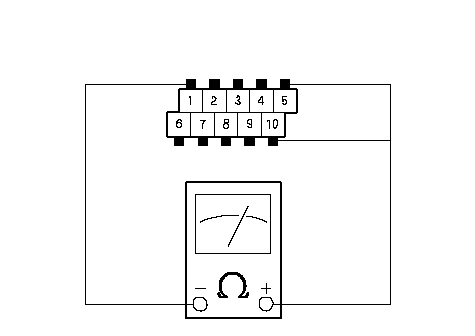 PRINTED CIRCUIT BOARD CONNECTOR (10P)AUDIO GNDVOL-BVOL-A PRINTED CIRCUIT BOARD CONNECTOR (10P)AUDIO GNDVOL-BVOL-A
Check to see if the continuity between the No. 5 and No. 1 terminals will turn on and off as described above when turning the volume clockwise by one click at a time; does the presence and absence of continuity alter? YES - Faulty audio unit.n NO - Faulty front printed circuit board.n |