POWER POINT SOCKET > INSTALLATION |
| 1. INSTALL POWER POINT SOCKET ASSEMBLY |
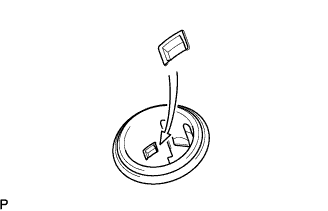 |
Align the protrusion on the backside of the socket with the groove of the cover. Then push the socket into the cover.
Connect the connector.
| 2. INSTALL SWITCH BASE |
 |
Connect all connectors.
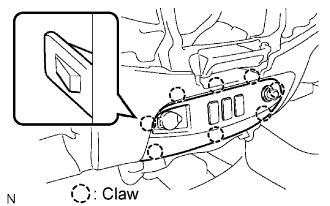
Attach the 8 claws to install the switch base.
| 3. CONNECT CABLE TO NEGATIVE BATTERY TERMINAL |
| 4. PERFORM INITIALIZATION |
Perform initialization (Click here ).
