ECD SYSTEM > REGISTRATION |
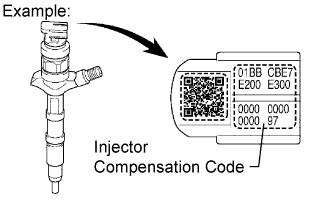
| 1. AFTER REPLACING INJECTOR(S) WITH NEW ONE(S), INPUT COMPENSATION CODE(S) OF INJECTOR(S) INTO ECM AS FOLLOWS: |
 |
Connect the intelligent tester to the DLC3.
Turn the ignition switch ON.
Turn the tester ON.
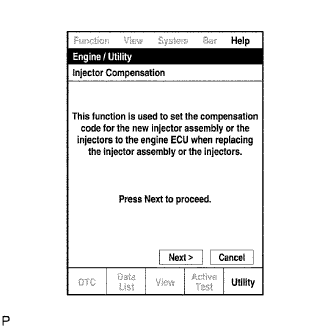 |
Enter the menu options in this order: Powertrain / Engine / Utility / Injector Compensation.
Press Next.
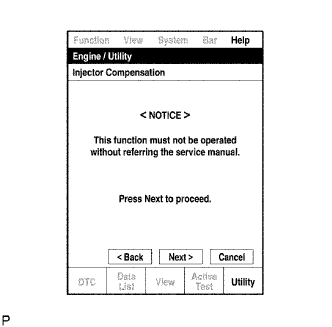 |
Press Next again to proceed.
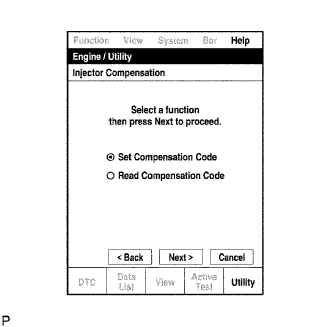 |
Select "Set Compensation Code".
Press Next.
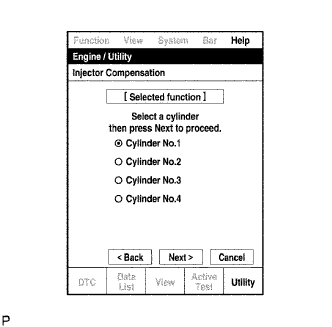 |
Select the number of the cylinder corresponding to the injector compensation code that you want to read.
Press Next.
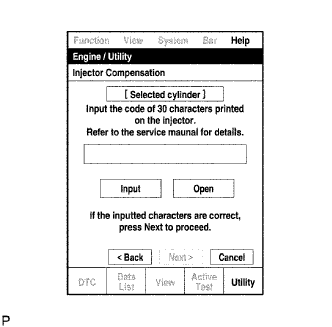 |
Register compensation code.
Press Input.
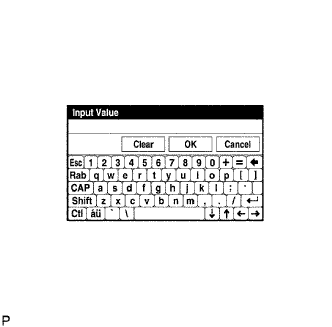 |
Manually input the cylinder's compensation code using the keyboard on the tester screen. The code is a 30 digit, alphanumeric value imprinted on the injector's head portion.
Confirm that the compensation code for the selected cylinder is correct , and then press OK.
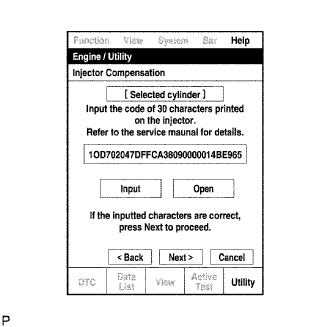 |
Check that the compensation code displayed on the screen is correct by comparing it with the 30 digit alphanumeric value on the head portion of the injector.
Press Next to set the compensation code to the ECM.
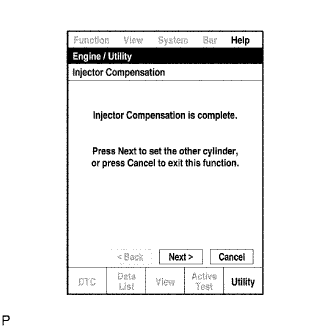 |
If you want to continue with other compensation code registrations, press Next. To finish the registration, press Cancel.
Turn the ignition switch OFF and then turn the tester OFF.
Wait for at least 30 seconds.
Turn the ignition switch ON and then turn the tester ON.
Clear DTC P1601/89 stored in the ECM using the tester (Click here).
| 2. WHEN REPLACING ECM WITH A NEW ONE, INPUT ALL INJECTOR COMPENSATION CODES INTO NEW ECM AS FOLLOWS: |
|
Connect the intelligent tester to the DLC3.
Turn the ignition switch ON.
Turn the tester ON.
|
Enter the menu options in this order: Powertrain / Engine / Utility / Injector Compensation.
Press Next.
|
Press Next again to proceed.
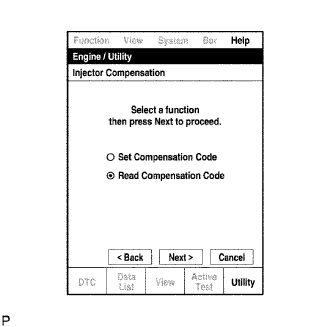 |
Select Read Compensation Code.
Press Next.
|
Select the number of the cylinder corresponding to the injector compensation code that you want to read.
Press Next.
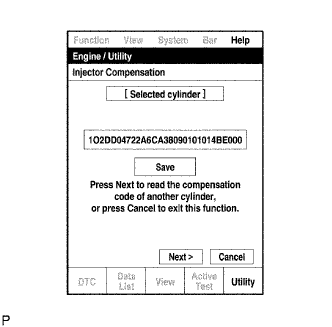 |
Check the injector compensation code (30 digit alphanumeric value) displayed on the tester screen.
Press Save.
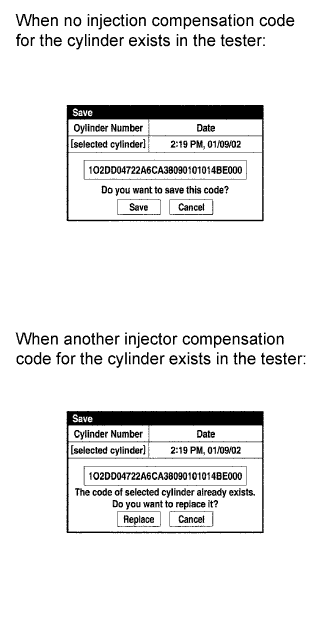 |
Check that the compensation code displayed on the tester screen is correct.
Press Save or Replace, save the injector compensation code.
|
If you want to read and save other injector compensation codes for other cylinders, press Next to continue. To finish this operation, press Cancel.
Turn the ignition switch OFF.
Turn the tester OFF.
Replace the ECM.
|
Connect the intelligent tester to the DLC3.
Turn the ignition switch ON.
Turn the tester ON.
|
Enter the menu options in this order: Powertrain / Engine / Utility / Injector Compensation.
Press Next.
|
Press Next again to proceed.
|
Select Set Compensation Code.
Press Next.
|
Select the number of the cylinder corresponding to the injector compensation code that you want to read.
Press Next.
|
Check that the compensation code displayed on the screen is correct, by comparing it with the 30 digit alphanumeric value on the head portion of the injector.
Press Next to set the compensation code to the ECM.
|
If you want to continue with other compensation code registrations, press Next. To finish the registration, press Cancel.
Turn the ignition switch OFF and then turn the tester OFF.
Wait for at least 30 seconds.
Turn the ignition switch ON and then turn the tester ON.
Clear DTC P1601/89 stored in the ECM using the tester (Click here).
