REPAIR INSTRUCTION > INITIALIZATION |
| System Name |
| Electronic Controlled Automatic Transmission (for A750E, A750F) |
| Meter / Gauge System |
| RESET MEMORY FOR ELECTRONIC CONTROLLED AUTOMATIC TRANSMISSION (FOR A750E, A750F) |
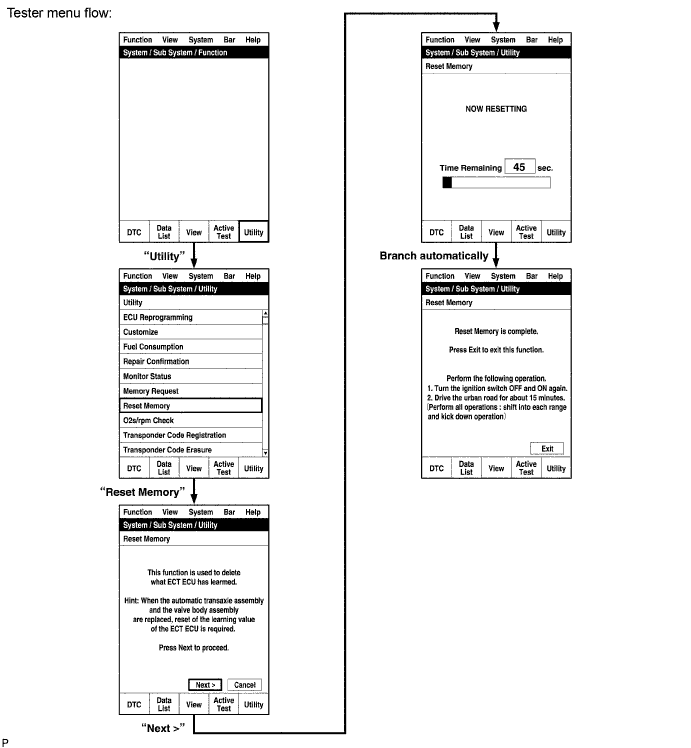
Turn the ignition switch OFF.
Connect the intelligent tester to the DLC3.
Turn the ignition switch ON and push the intelligent tester main switch ON.
Perform the reset memory procedure from the main menu.
| RESET COMPASS IN COMBINATION METER |
Circling calibration
Select compass mode.
Press and hold INFO for 3 seconds to enter the compass correction mode.
Press RESET.
Drive the vehicle slowly in a circle once within 128 seconds.
If there is not enough space to drive in a circle, perform the following:
Compass correction mode cancelLation
Press RESET after performing the circling calibration.
Press INFO or wait for 6 seconds to end the compass correction mode.
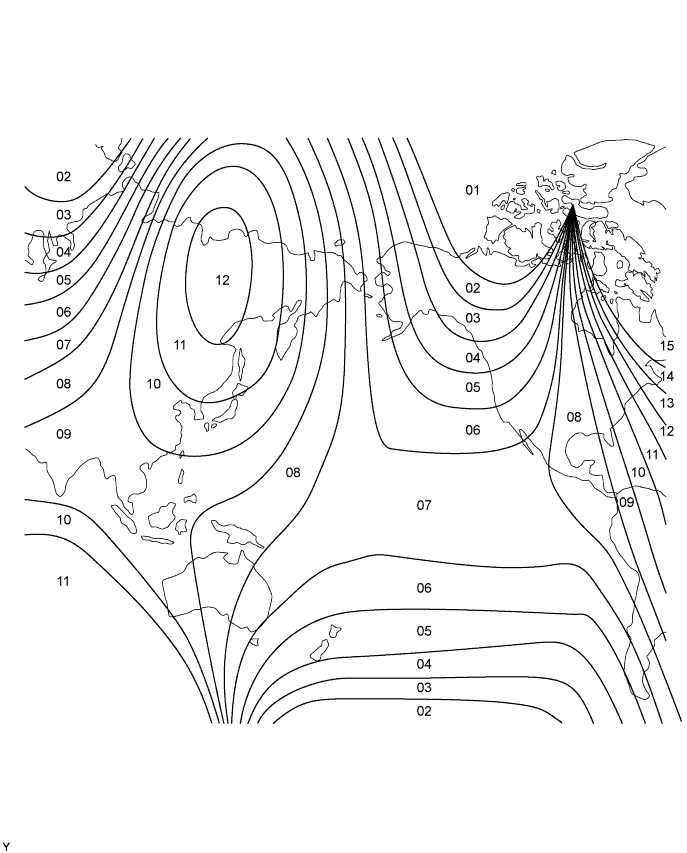
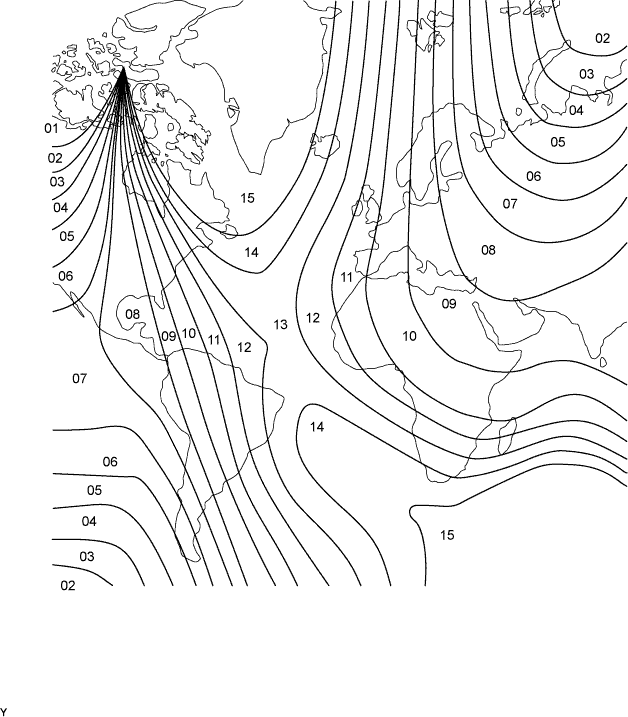
Zone setting
Select compass mode.
Press and hold INFO button for 3 seconds to enter compass correction mode.
Press H to select a higher zone number.
Press M to select a lower zone number.
Press INFO or wait for 6 seconds to end compass correction mode.