DTC 62-46 Disc Has Scratches in the Reverse Surface (AUDIO H/U) |
| DTC No. | DTC Detection Condition | Trouble Area |
| 62-46 | Scratches or dirt are found on CD surface or CD is inserted upside down |
|
| 1.CHECK IF PROPER CD IS INSERTED |
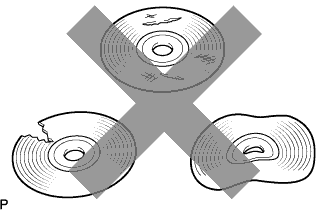 |
Make sure that the CD is a normal audio CD, and that it is not deformed, flawed, stained, burred or otherwise defective.
|
| ||||
| OK | |
 |
| 2.CHECK THAT CD IS INSERTED PROPERLY |
Check whether or not the CD is inserted upside down.
|
| ||||
| OK | |
|
| 3.CLEAN CD |
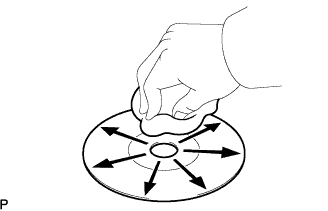 |
Clean the disc by wiping the CD's underside radially with a soft cloth.
|
| ||||
| NG | |
|
| 4.REPLACE CD WITH ANOTHER AND RECHECK |
Replace the CD with a normal one and check if the a problem occurs again.
|
| ||||
| OK | ||
 | ||
| ||

