|
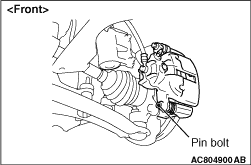
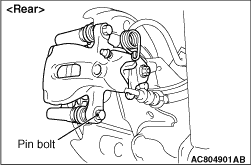
1.Remove the parts indicated in the figure, swivel the caliper body upward and retain it with a wire or similar tool.
2.
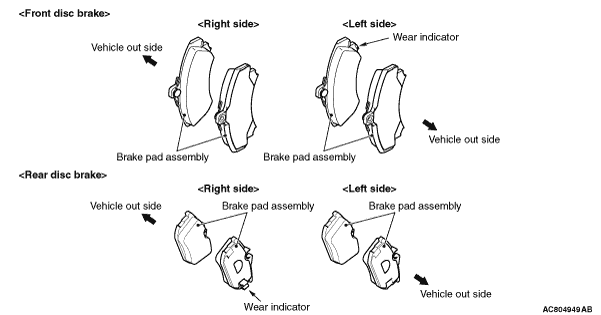
Remove the brake pad assembly from caliper support.
| note |
- The brake pad assembly with wear indicator is installed only to the inner side of the brake disc of the left-side brake <Front disc brake> or right-side brake <Rear disc brake> at factory.
- As for the accessory pad set, the brake pad with wear indicator has been established to the inner side of the brake disc on both right side brake and left side brake.
|
|
|
3.
| caution |
Keep grease or other soiling off the pad and brake disc friction surfaces.
|
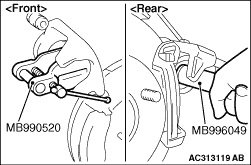
Clean the piston part, and press the piston into the cylinder using the special tool piston expander (MB990520) <Front disc brake> or special tool piston driver (MB996049) <Rear disc brake>.
4.Assemble the brake pad assembly to the caliper support, and tighten the pin bolt to the specified torque.
Tightening torque: 28 ± 2 N·m
| note |
Install the brake pad assembly (with wear indicator) to the inner side of the brake disc, making sure that the wear indicator is located on the top <Front disc brake> or bottom <Rear disc brake>.
|
|
)
)
)
)