Dashboard Center Panel Removal/Installation
Dashboard Center Panel Removal/Installation
NOTE:- Put on gloves to protect your hands.
- Do not pry the panel surface with a flat-tip screwdriver, to prevent damage.
- Take care not to scratch the dashboard and related parts.
| 1. | Remove these items: |
| 2. | Remove the screw (A). Detach the clips (B) and release the hooks (C) by pulling the center lower cover (D) down, by hand. Without A/C 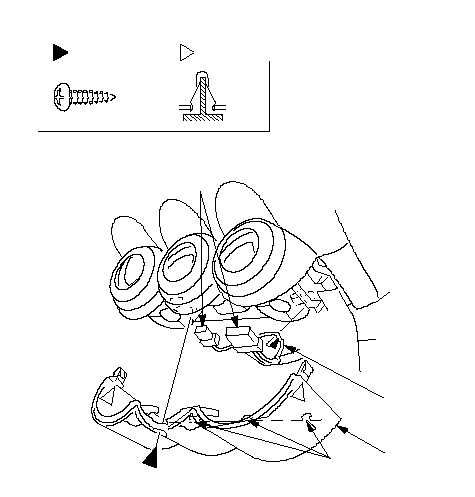 BCEGFastener LocationsA: Screw, 1B: Clip, 2ABD BCEGFastener LocationsA: Screw, 1B: Clip, 2ABDWith A/C 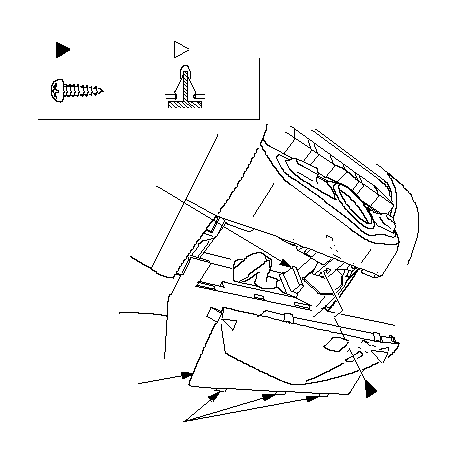 ABCDFBFastener Locations: Screw, 1A: Clip, 2B ABCDFBFastener Locations: Screw, 1A: Clip, 2B |
| 3. | Disconnect the heater control unit connectors (E) (without A/C) or climate control unit connector (F) (with A/C), and release the unit harness (G) from the clamp. |
| 4. | Without A/C: In the inner glove box opening, disconnect the recirculation control cable (A) and the mode control cable (B), and from under the dashboard, disconnect the air mix control cable (C):
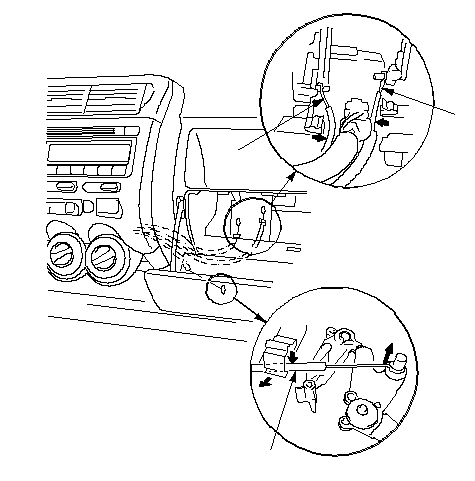 ABC ABC |
| 5. | From the glove box and driver's dashboard lower cover openings, loosen the bolts securing the center panel (A).
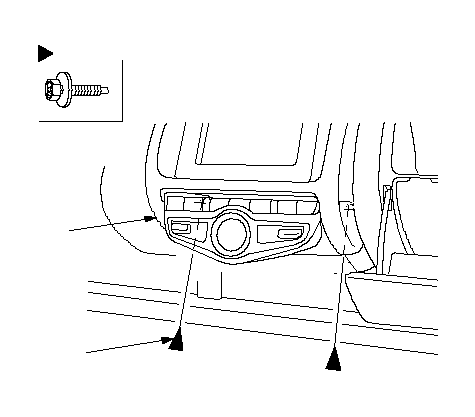 5 x 0.8 mm 5 x 0.8 mm5 N·m (0.5 kgf·m, 4 lbf·ft): Bolt, 2Fastener LocationsA |
| 6. | Using a wrench, carefully insert a wrench from the inner glove box opening, and push a panel clip on the glove box side from back of the center panel (A) to release it. LHD is shown, RHD is symmetrical.
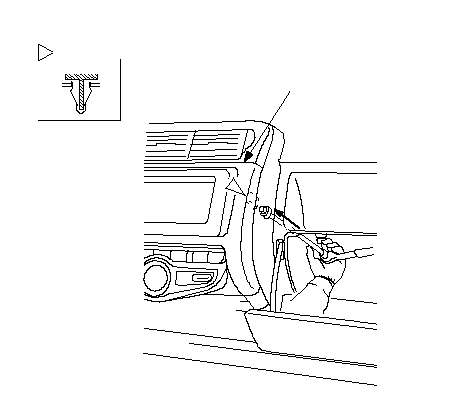 AFastener Location: Clip, 1 AFastener Location: Clip, 1 |
| 7. | Pull out the center panel (A) to release the clips (B, C), and disconnect the connectors:
Without navigation system 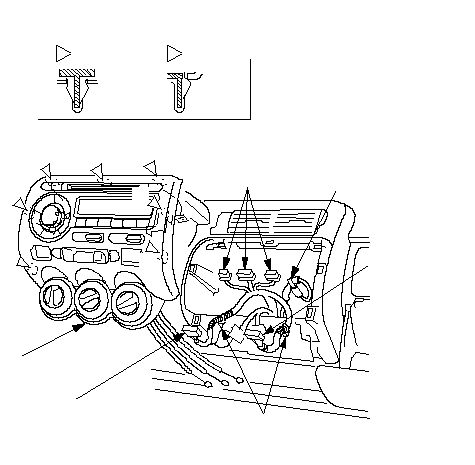 ABCEFGBBBBBK(Without A/C)D(Without A/C)(Without A/C): Clip 6Fastener LocationsB: Clip, 1C ABCEFGBBBBBK(Without A/C)D(Without A/C)(Without A/C): Clip 6Fastener LocationsB: Clip, 1CWith navigation system 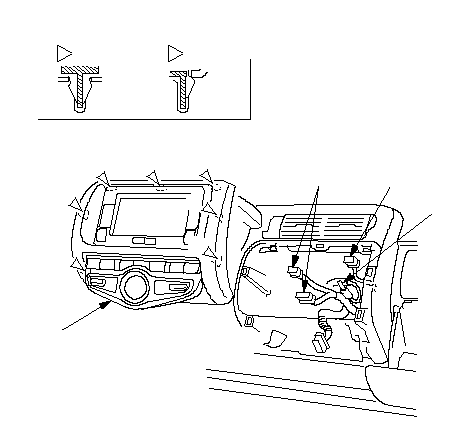 BBBBBBCAHIJ: Clip 6Fastener LocationsB: Clip, 1C BBBBBBCAHIJ: Clip 6Fastener LocationsB: Clip, 1C |
| 8. | Detach the harness clips (K) from both center panel brackets (without A/C), then remove the center panel:
|
| 9. | Install the panel in the reverse order of removal, and make sure each connector is plugged in properly, and antenna lead and cables are connected properly. |