Cam Chain Removal
NOTE: Keep the cam chain away from magnetic fields.
| 2. | Remove the alternator bracket mounting bolt (A) and loosen the alternator mounting bolt (B).
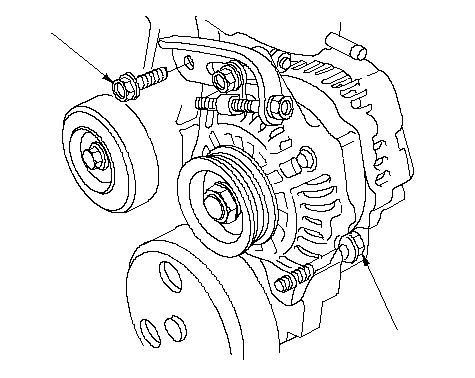 BA BA |
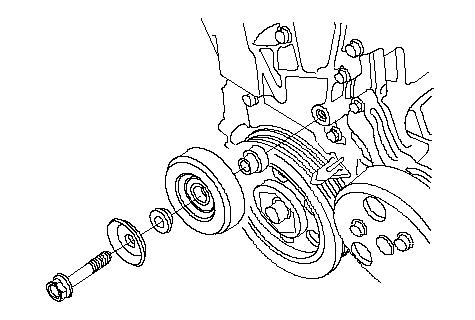
| 3. | Remove the idler pulley (with A/C compressor).
|
| 4. | Turn the crankshaft pulley so its Top Dead Center (TDC) mark (A) lines up with the pointer (B).
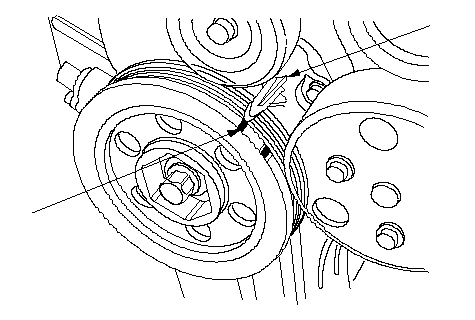 AB AB |
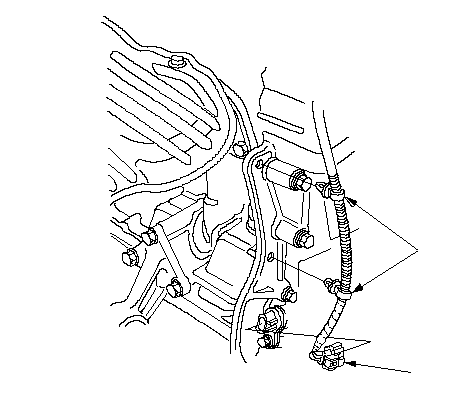
| 9. | Disconnect the Crankshaft Position (CKP) sensor connector (A), then remove the harness clamps (B).
 BA BA |
| 10. | Support the engine with a jack and wood block under the cylinder block.
|
| 11. | Remove the ground cable (A), then remove the side engine mount/bracket assembly (B).
M/T: 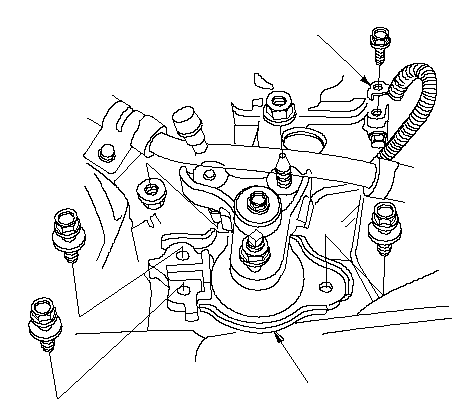 AB ABCVT: 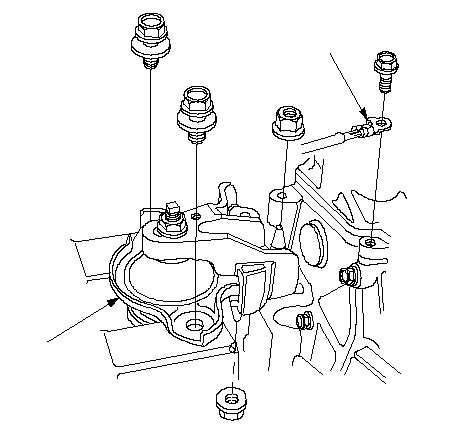 AB AB |
| 12. | Keep alternator away of the chain case. Remove the chain case (A), then remove the pulse plate (B).
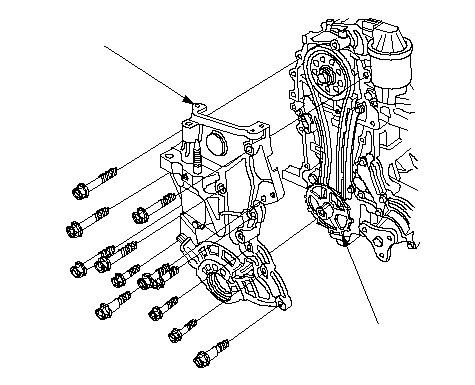 AB AB |
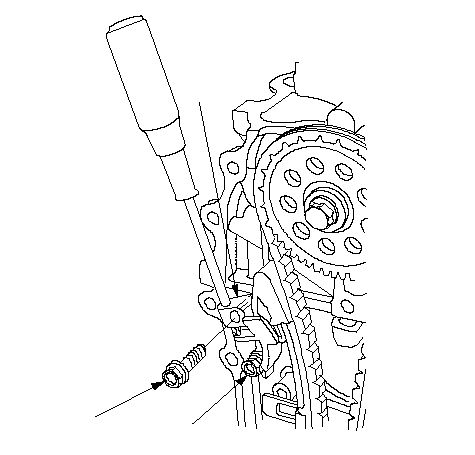
| 13. | Apply engine oil to the slider surface of the cam chain tensioner slider (A).
 BAC BAC |
| 14. | Holed the cam chain tensioner slider with the screwdriver, then remove the bolt (B), and loosen the bolt (C).
|
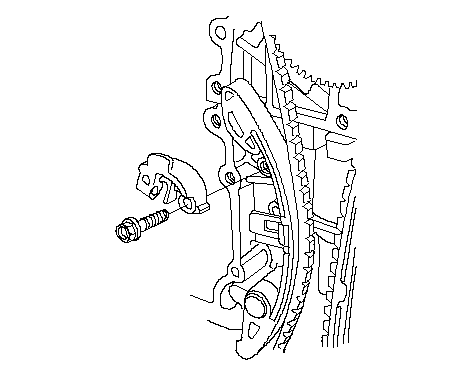
| 15. | Remove the cam chain tensioner slider.
|
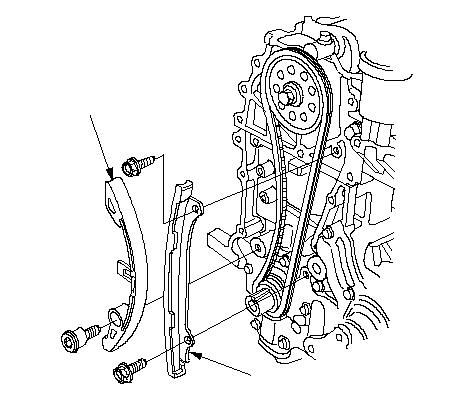
| 16. | Remove the cam chain tensioner (A) and cam chain guide (B).
 BA BA |