|
Voice control does not work/respond (KG and KE models)
Diagnostic Test: Mic Level
NOTE:
-
Make sure that the correct version are installed.
-
Check any official Honda service website for more service information about the navigation system.
-
Before assuming that a voice complaint is hardware related, ensure that the voice control system is being operated correctly.
| -
|
Make sure you are on the correct screen when trying to issue a voice command. For instance, the command ‘‘Find the nearest Italian Restaurant'' only works on Map screen. (See the Navigation System manual for a complete list of allowed voice commands for the information being displayed).
|
| -
|
Close the windows and sunroof.
|
| -
|
Set the fan speed to low (1 or 2).
|
| -
|
Adjust the air flow from the air conditioning vents so that they do not blow against the microphone on the ceiling.
|
| -
|
Pause after pressing the TALK button then give a voice command clearly in a natural speaking voice.
If the system cannot recognize your command, speak louder.
|
| -
|
If the microphone picks up voices other than yours, the system may not interpret your voice commands correctly.
|
| -
|
If you speak a command with something in your mouth, or your voice is too husky, the system may misunderstand your command.
|
-
Check the connectors for poor connections or loose terminals.
-
Check for a loose roof console microphone; if it's loose, tighten it.
-
Before troubleshooting, make sure you have anti-theft codes for the audio system and the navigation system.
-
After troubleshooting, enter the anti-theft codes for the audio system and the navigation system.
-
Determine if the problem only happens to one person, or everyone who uses the system.
-
If the system only has a problem with one person's voice, this should be considered a system limitation.
-
Turn the ignition switch to ON (II).
-
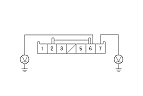
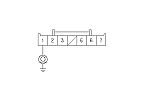
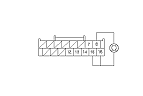
Measure the voltage between the HFT/navigation microphone 7P connector terminals No. 6 and No. 7 individually.
|
Is there battery voltage?
|
|
YES
|
-
|
|
|
NO
|
-
|
If the +B wire does not have voltage, repair open in the wire between the under-hood fuse/relay box and the HFT/navigation microphone 7P connector. If the ACC wire does not have voltage, repair open in the wire between the under-dash fuse/relay box and the HFT/navigation microphone 7P connector.■
|
-
Turn the ignition switch to LOCK (0).
-
Disconnect the HFT/navigation microphone 7P connector.
|