Cam Chain Auto-tensioner Removal and Installation

Removal
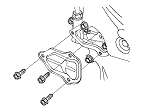
  1. Remove the chain case cover.

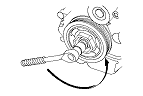
  1. Turn the crankshaft counterclockwise to compress the auto-tensioner.

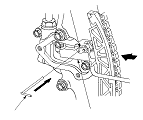
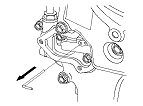
  1. Align the holes on the lock (A) and the auto-tensioner (B), then insert a 1.0 mm (0.04 in.) diameter pin (C) into the holes. Turn the crankshaft clockwise to secure the pin.

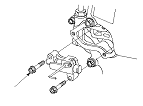
  1. Remove the auto-tensioner.

Installation
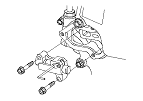
  1. Install the auto-tensioner.

  1. Remove the pin from the auto-tensioner.
  1. Remove the all of the old liquid gasket from the chain case cover mating surfaces, the bolts, and the bolt holes.
  1. Clean and dry the chain case cover mating surfaces.

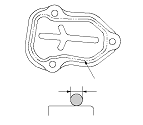
  1. Apply liquid gasket (P/N 08C70-K0234M, 08C70-K0334M, or 08C70-X0331S) to the chain case mating surface of the chain case cover and to the inner threads of the bolt holes.
    NOTE:
    • Apply liquid gasket about 2.5 mm (0.098 in.) diameter bead along the broken line (A).
    • Do not install components if 5 minutes or more have passed after applying the liquid gasket. Instead, remove the old residue and reapply the liquid gasket.

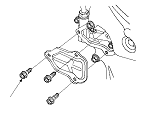
  1. Install the chain case cover.
    NOTE:
    • Wait at least 30 minutes before filling the engine with oil.
    • Do not run the engine for at least 3 hours after installing the chain case.