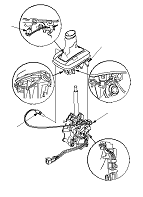
A/T Shift Lever Boot and A/T Gear Position Indicator Panel Base Replacement
-
-
-
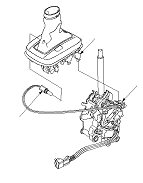
Remove the A/T gear position indicator panel light socket (A) from the indicator panel base (B).
-
Remove the A/T gear position indicator panel base from the shift lever bracket (C).
|
|
-
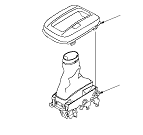
Remove the A/T gear position indicator panel (A), from the panel base (B).
|
|
-
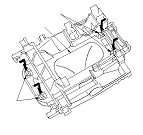
Release the lock tabs (A) retaining the shift lever boot (B) using a screwdriver.
|
|
-
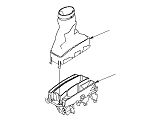
Replace the shift lever boot (A) or the A/T gear position indicator panel base (B).
-
Install the shift lever boot on the indicator panel base.
-
Install the A/T gear position indicator panel on the indicator panel base.
|
|
-
Install the A/T gear position indicator panel base (A) on the shift lever bracket (B).
NOTE: Take care not to pinch the harness.
-
Install the A/T gear position indicator panel light socket (C) in the indicator panel base.
-
For LHD model: Route the A/T gear position indicator panel light harness. Take a slack out of the harness, and secure the harness with at the guide.
-
-
|
|