|
DTC 74-22:
Open in the Right Side E-pretensioner Motor
-
-
Turn the ignition switch to LOCK (0), and wait for 10 seconds.
-
Turn the ignition switch to ON (II), and wait for 10 seconds.
-
-
Turn the ignition switch to LOCK (0).
-
-
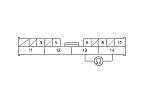
Check resistance between the No. 13 and No. 14 terminals of the left engine compartment subharness 14P connector (LHD models) or E-pretensioner subharness 14P connector (RHD models). There should be 0−1.0 Ω.
|
Is the resistance as specified?
|
|
YES
|
-
|
Check the loose terminals and poor connections at the left engine compartment subharness 14P connector terminals No. 13 and No. 14 (LHD models) or E-pretensioner subharness 14P connector terminals No. 13 and No. 14 (RHD models). If the terminals and connections are OK, replace the E-pretensioner control unit, and recheck.
|
|
NO
|
-
|
|
-
Turn the ignition switch to LOCK (0).
-
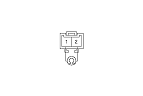
Disconnect the right side wire harness 2P connector from the right side E-pretensioner motor.
|