|
DTC B1125:
Driver's Power Window Motor Pulse A Error
-
Clear the DTCs with the HDS.
-
Turn the ignition switch to LOCK (0) and then back to ON (II).
-
Open and close the driver's power window by using the power window master switch manually.
|
Does the window motor operate?
|
-
Check for DTCs with the HDS.
|
YES
|
-
|
|
|
NO
|
-
|
Intermittent failure, the system is OK at this time. Check for loose or poor connections.■
|
-
Select the POWER WINDOWS from the BODY ELECTRICAL system select menu, and enter the DATA LIST.
-
Check the DETECT/NONE information of the driver's window motor A-phase pulse signal in the DATA LIST.
|
Does the information indicator display DETECT while the window is moving, and display NONE when the window is stopped?
|
|
YES
|
-
|
Replace the power window master switch.■
|
|
NO
|
-
|
|
-
Check for DTCs with the HDS.
|
Is DTC B1126 also indicated?
|
-
Turn the ignition switch to LOCK (0).
-
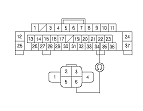
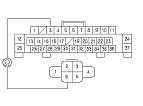
Disconnect the door multiplex control unit 37P connector.
-
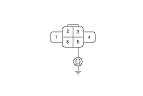
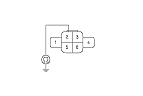
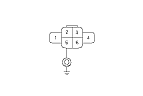
Disconnect the driver's power window motor 6P connector.
-
Check for continuity between the door multiplex control unit 37P connector No. 22 terminal and driver's power window motor 6P connector No. 6 terminal.
|
YES
|
-
|
|
|
NO
|
-
|
Repair an open in the wire.■
|
|