|
DTC 2707:
MIC Diag
-
-
Turn the ignition switch to LOCK (0), and then back to ON (II).
-
-
Select the System Links.
-
Turn the ignition switch to LOCK (0).
-
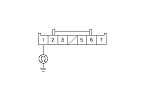
Check for poor connections or loose terminals at Hands Free Telephone control unit 28P connector, HFT/navigation microphone 7P connector, and navigation control unit D (5P) connector.
|
YES
|
-
|
|
|
NO
|
-
|
Repair poor connections or loose terminals.■
|
-
Check for DTCs with the HDS.
|
Is DTC B1775 or B1776 indicated?
|
|
YES
|
-
|
Troubleshooting the indicated DTC.■
|
|
NO
|
-
|
|
-
Select the Mic in the System Links.
-
|
Is the microphone level OK?
|
|
YES
|
-
|
Intermittent failure, the system is OK at this time.■
|
|
NO
|
-
|
|
-
Turn the ignition switch to LOCK (0).
-
Disconnect the HFT/navigation microphone 7P connector.
-
Turn the ignition switch to ON (II).
-
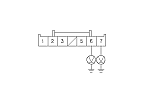
Measure the voltage between the body ground and HFT/navigation microphone 7P connector terminals No. 6 and No. 7 individually.
|
Are there battery voltage?
|
|
YES
|
-
|
|
|
NO
|
-
|
Repair open in the wire(s).■
|
-
Turn the ignition switch to LOCK (0).
|