|
DTC 2601:
Display Diag: Connect
NOTE:
-
-
Turn the ignition switch to LOCK (0), and then back to ON (II).
-
-
Check the System Links.
|
YES
|
-
|
|
|
NO
|
-
|
Intermittent failure, the system is OK at this time.■
|
-
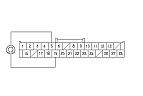
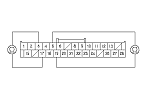
Check for poor connections or loose terminals at navigation unit connector B (32P), and audio unit connector E (14P).
|
Are there connections OK?
|
-
Turn the ignition switch to LOCK (0).
-
Disconnect navigation unit connector B (32P) and the navigation display unit 28P connector.
-
Connect the navigation control unit connector B (32P) terminals No. 10 and No. 26 with a jumper wire.
|
|