DTC Troubleshooting: 12, 18

LKAS Control Unit DTC 12:
 Lost Communication with the LKAS Camera
LKAS Control Unit DTC 18:
 LKAS Camera Packet Communication Error
  1. Turn the ignition switch to LOCK (0), then turn it to ON (II), and wait for 20 seconds or more.
  1. Watch the LKAS indicator.
Does the LKAS indicator come on?
YES -
Go to Step 4 .
NO -
Intermittent failure, the system is OK at this time.■
Is DTC 12 or 18 indicated?
YES -
Go to Step 5 .
NO -
Troubleshoot the indicated DTC(s).■
  1. Turn the ignition switch to LOCK (0).
  1. Disconnect the LKAS control unit 26P connector and the LKAS camera 10P connector.
  1. Turn the ignition switch to ON (II).
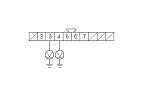
  1. Measure the voltage between body ground and LKAS camera 10P connector No. 3 and No. 4 terminals individually.
Is there battery voltage?
YES -
Repair short to power in the wire between LKAS camera and LKAS control unit.■
NO -
Go to Step 9 .
  1. Turn the ignition switch to LOCK (0).

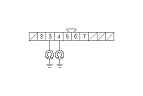
  1. Check for continuity between body ground and LKAS camera 10P connector No. 3 and No. 4 terminals individually.
Is there continuity?
YES -
Repair short to body ground in the wire between LKAS camera and LKAS control unit.■
NO -
Go to Step 11 .

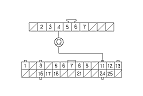
  1. Check for continuity between LKAS control unit 26P connector No. 11 terminal and LKAS camera 10P connector No. 4 terminal.
Is there continuity?
YES -
Go to Step 12 .
NO -
Repair an open in the wire between LKAS camera and LKAS control unit.■

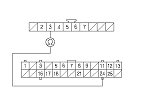
  1. Check for continuity between LKAS control unit 26P connector No. 24 terminal and LKAS camera 10P connector No. 3 terminal.
Is there continuity?
YES -
Check for loose terminals in the LKAS camera and LKAS control unit connectors, then repair if necessary. If all connections are OK, replace the LKAS camera and LKAS control unit as a set.■
NO -
Repair an open in the wire between LKAS camera and LKAS control unit.■