How to Troubleshoot the CMBS
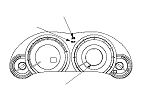
CMBS Indicator
If the system is OK, the CMBS indicator goes off 2 seconds after turning the ignition switch to ON (II). The CMBS indicator comes on when the adaptive cruise control (ACC) unit detects a problem in the system.
NOTE:
  • The CMBS indicator only indicates its system problems.
  • The CMBS works with related systems such as the VSA system. If these related systems have a problem, the CMBS does not operate. In this case, the CMBS indicator and the related system indicator come on.
When a problem is detected by the self-diagnostic function, the CMBS stops operating, turns on the CMBS indicator, indicates the problem on the MID, and stores the DTC.

CMBS OFF Switch
Press and hold the CMBS OFF switch for at least a second to turn the CMBS off and on.

CMBS Indication
  • When the system is activated, the word ‘‘BRAKE'' is indicated on the MID and the warning buzzer sounds.
  • If the system stops operating because of a problem, the MID indicates the problem.

Adaptive Cruise Control (ACC) Unit
The ACC unit controls the brake and warning when the system recognizes the danger of a collision.
The ACC unit has a self-diagnostic function. If the system detects a problem, it stops the CMBS, and turns on the CMBS indicator.

CMBS Initial Check
The ACC unit turns on the CMBS indicator if the CMBS initial check is not completed.
NOTE: For proper CMBS operation, if the ACC unit or the VSA modulator-control unit is replaced, do the CMBS initial check incomplete troubleshooting (DTC 100).

Millimeter Wave Radar
The millimeter wave radar recognizes the position of the vehicle running ahead and detects the two vehicles speed differential.
The ACC unit receives this information from the millimeter wave radar.
The millimeter wave radar also has an error detect function, and sends a signal to the ACC unit if an error is detected.

How to Retrieve DTCs
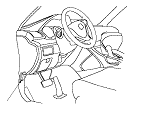
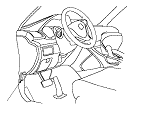
  1. With the ignition switch to LOCK (0), connect the HDS to the data link connector (DLC) (A) under the left side of the dashboard.
  1. Turn the ignition switch to ON (II).
  1. Make sure the HDS communicates with the vehicle and the ACC unit. If it does not communicate, troubleshoot the DLC circuit.
  1. Follow the prompts on the HDS to display the DTC(s) on the screen. After determining the DTC, refer to the DTC Troubleshooting.
    NOTE: See the HDS Help menu for specific instructions.

How to Clear DTCs
NOTE: You cannot clear the DTCs manually.
  1. With the ignition switch to LOCK (0), connect the HDS to the DLC (A) under the left side of the dashboard.
  1. Turn the ignition switch to ON (II).
  1. Make sure the HDS communicates with the vehicle and the ACC unit. If it does not communicate, troubleshoot the DLC circuit.
  1. Clear the DTC(s) by following the screen prompts on the HDS.
    NOTE: See the HDS Help menu for specific instructions.