-
Perform the operation in a clean place free from dirt.
-
Wear fingerstall or plastic gloves when doing the operation (Do not use fabric gloves).
-
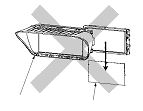
When removing the navigation display visor, do not touch the scale plate.
-
If dirt is attached to the scale plate when installing a new navigation display visor to the LCD assembly. clean it using compressed air.
-
When installing the navigation display visor to the LCD assembly, be careful not to touch the scale plate.
-
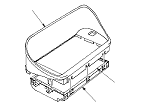
Check that the navigation display visor and the LCD assembly are properly installed.
-
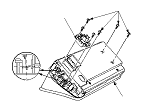
Since the LCD assembly and the navigation display visor are installed at an angle, be sure that the screws are properly seated. If not properly seated, tighten the screws.
-
Check that the navigation display unit assembly has no bruises.
-
When removing the navigation display visor, do not face the LCD assembly downward. Also, do not hold it vertically.