|
Rearview camera image does not come on or work properly
-
Turn the ignition switch to ON (II), and start the engine.
|
Does the Navigation screen come on and show an image when the vehicle is started?
|
-
|
Is the ‘‘R-camera'' link on the screen?
|
-
Confirm the system connection.
|
Is the ‘‘R-camera'' link red on the screen?
|
-
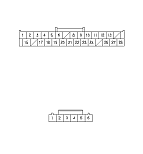
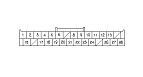
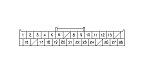
Check the connections between navigation display unit 28P connector and the rearview camera 6P connector.
|
YES
|
-
|
|
|
NO
|
-
|
Reconnect the connectors.■
|
-
Disconnect navigation display unit 28P connector and rearview camera 6P connector. Check for continuity
|
Navigation display unit connector
|
Rearview camera
|
Wire color
|
|
No. 11
|
No. 5
|
GRY
|
|
No. 12
|
No. 2
|
RED
|
|
No. 13
|
No. 4
|
WHT
|
|
No. 26
|
No. 1
|
GRN
|
|
No. 27
|
No. 3
|
BLK
|
|
No. 28
|
No. 6
|
BRN
|
|
YES
|
-
|
|
|
NO
|
-
|
Repair open in the wire between navigation display unit 28P connector and rearview camera 6P connector.■
|
|