|
Picture is missing a color or tone or is an odd color
NOTE:
-
Check the connectors for poor connections or loose terminals.
-
Make sure that the correct version are installed.
-
Inspect the DVD for dirt or damage.
-
Check any official Honda service website for more service information about the navigation system.
-
Check the navigation screen settings for brightness, contrast, and black level, and check the color screen for map color and menu color.
-
Before troubleshooting, make sure you have anti-theft codes for the audio system and the navigation system.
-
After troubleshooting, enter the anti-theft codes for the audio system and the navigation system.
-
Check the vehicle battery condition first.
-
Check for aftermarket accessories that may interfere with the navigation system.
-
|
Are the red, green, and blue colored circles shown?
|
|
YES
|
-
|
The system is OK at this time.■
|
|
NO
|
-
|
|
-
Turn the ignition switch to LOCK (0).
-
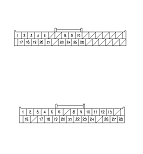
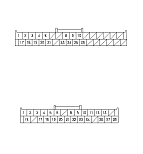
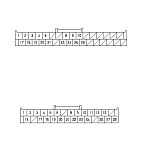
Disconnect navigation unit connector B (32P) and the navigation display unit 28P connector.
-
Check for loose terminals at navigation unit connector B (32P) and the navigation display unit 28P connector.
|
Are there loose terminals?
|
|
YES
|
-
|
Repair the terminal.■
|
|
NO
|
-
|
|
-
Check for continuity between the terminals of navigation unit connector B (32P) and the navigation display unit 28P connector according to the table.
|
From terminal
|
To terminal
|
|
Navigation unit
|
Navigation display unit
|
Navigation unit
|
Navigation display unit
|
|
B3 (GRY)
|
24 (BLK)
|
B1 (WHT)
|
8 (WHT)
|
|
B2 (RED)
|
9 (RED)
|
|
B17 (YEL)
|
22 (YEL)
|
|
B18 (BLK)
|
23 (BRN)
|
|
B19 (GRN)
|
21 (BLU)
|
|
Is there continuity between any of the terminals?
|
|
YES
|
-
|
Repair short in the wire(s) between the audio unit and stereo amplifier (replace the appropriate shielded harness).■
|
|
NO
|
-
|
|
|