|
No picture is displayed
Diagnostic Test: Self-Diagnosis Mode
NOTE:
-
Check if

button has been pressed, causing the display to turn off (see owner's manual for more information).
-
Check the connectors for poor connections or loose terminals.
-
Before troubleshooting, make sure you have the anti-theft code for the navigation system.
-
Make sure that the correct DVD color and version are installed.
-
Inspect the DVD for dirt or damage.
-
Check any official Honda service website for more service information about the navigation system.
-
Check the No. 15 (10 A) fuse in the under-hood fuse/relay box and No. 18 (7.5 A) fuse in the driver's under-dash fuse/relay box, and reinstall the fuses if they are OK.
|
YES
|
-
|
|
|
NO
|
-
|
Replace the fuse and recheck.■
|
-
Turn the ignition switch to ACCESSORY (I).
-
Operate the radio and listen to the audio.
|
YES
|
-
|
|
|
NO
|
-
|
Check the ACC circuit or refer to the audio system troubleshooting.■
|
-
Turn the ignition switch to ON (II).
-
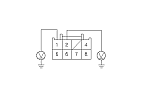
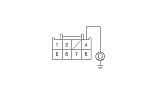
Measure the voltage between body ground and navigation unit connector A (8P) terminals No. 1 and No. 2 individually.
|
Is there battery voltage?
|
|
YES
|
-
|
|
|
NO
|
-
|
If the +B wire does not have voltage, repair an open in the wire between the under-hood fuse relay box and the navigation unit. If the ACC wire does not have voltage, repair open in the wire between the under-dash fuse/relay box and the navigation unit.■
|
-
Turn the ignition switch to LOCK (0).
-
Disconnect navigation unit connector A (8P).
|