|
Only when USB device is connected, sound does not come out from the left speaker
-
Turn the ignition switch to ON (II).
-
Check if sound normally comes out from the speakers while selecting radio, CD, etc.
|
YES
|
-
|
|
|
NO
|
-
|
Go to No Sound is heard from the speaker(s):
|
-
Turn the ignition switch to LOCK (0).
-
Disconnect USB adapter unit connector A (14P) and the audio unit connector D (14P).
-
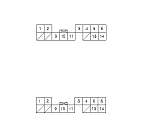
Check for continuity between USB adapter unit connector A (14P) and the audio unit connector D (14P) according to the table.
|
|
USB adapter unit connector
|
Audio unit connector
|
Wire color
|
|
AUDIO L+
|
A6
|
D6
|
BLK
|
|
AUDIO L−
|
A14
|
D14
|
RED
|
|
YES
|
-
|
|
|
NO
|
-
|
Repair open in the wire(s) between the USB adapter connector A (14P) and audio unit connector D (14P).■
|
|