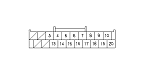
Audio System Symptom Troubleshooting - Audio system information does not display on the center display unit (without navigation system)

Audio system information does not display on the center display unit (without navigation system)
NOTE:
  • Check the vehicle battery condition first.
  • Check the connectors for poor connections or loose terminals.
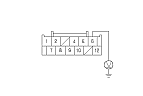
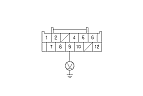
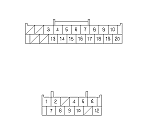
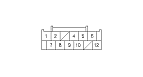
  1. Check the connections at the center display unit 12P connector and audio unit connector B (20P).
Are the connectors and terminals connected properly?
YES -
Go to Step 3 .
NO -
Repair the connection and recheck.■
  1. Turn the ignition switch to ON (II).
  1. Measure the voltage between the center display unit 12P connector terminal No. 6 and body ground.
Is there battery voltage?
YES -
Go to Step 5 .
NO -
Repair open in the wire between No. 15 (10 A) fuse in the under-hood fuse/relay box and center display unit 12P connector terminal No. 6.■

  1. Measure the voltage between the center display unit 12P connector terminal No. 9 and body ground.
Is there less than 0.5 V?
YES -
Go to Step 6 .
NO -
Repair open in the wire between the center display 12P connector terminal No. 9 and body ground (G401).■
  1. Turn the ignition switch to LOCK (0).
  1. Disconnect audio unit connector B (20P) and the center display unit 12P connector.

  1. Check for continuity between audio unit connector B (20P) and the center display unit 12P connector according to the table.
    Audio unit connector
    Center display unit connector
    Wire color
    B6
    2
    RED
    B7
    1
    GRN
    B17
    4
    BLU

Is there continuity?
YES -
Go to Step 9 .
NO -
Repair open in the wire(s) between the audio unit and center display unit.■

  1. Check for continuity between the terminals of the center display unit 12P connector and body ground according to the table.
    Center display unit connector
    Wire color
    1
    GRN
    2
    RED
    4
    BLU

Is there continuity?
YES -
Repair short to body ground in the wire(s) between the audio unit and center display unit.■
NO -
Go to Step 10 .

  1. Check for continuity between the terminals of the audio unit connector B (20P) according to the table.
    From terminal
    To terminals
    B16 (BLK)
    B6 (RED), B7 (GRN)

Is there continuity between any of the terminals?
YES -
Repair short in the wire(s) between the audio unit and center display unit (replace the appropriate shielded harness).■
NO -