|
No Sound is heard from the speaker(s) (display is normal) (without premium audio system)
NOTE:
-
Check the vehicle battery condition first.
-
Check the connectors for poor connections or loose terminals.
-
Set the fader and balance positions to the center.
-
-
Turn the ignition switch to ON (II).
-
Turn on the audio unit and make sure the volume button is not set to the MIN level.
|
YES
|
-
|
Raise the volume level, and recheck the function.■
|
|
NO
|
-
|
|
-
|
Do all speakers produce a tone?
|
|
YES
|
-
|
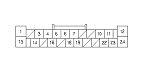
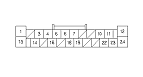
Intermittent failure; the system is OK at this time. Check for poor connections at the audio unit and speakers.
|
|
NO
|
-
|
|
-
Turn the ignition switch to LOCK (0).
-
Check the speaker with sound for any damage.
|
YES
|
-
|
Substitute the speaker and recheck.■
|
|
NO
|
-
|
|
-
-
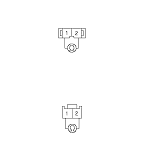
Check the speaker 2P connector for a loose or poor connection.
|
Reconnect the speaker 2P connector and recheck the symptom; does it still fail?
|
|
YES
|
-
|
|
|
NO
|
-
|
Operation is normal.■
|
-
Measure the resistance between the terminals No. 1 and No. 2 of the speaker.
NOTE: If the problem is in the front door speakers, measure the resistance of the door speaker and the door tweeter.
|
YES
|
-
|
|
|
NO
|
-
|
Replace the faulty speaker(s).■
|
-
NOTE: Eject all the CDs before removing the audio unit and CD changer to prevent damaging the CD player's load mechanism.
|